- Platforms
- PC
- Stores
- itch.io
- Price
- Pay what you want
- Rated
- 4.4 of 5 from 574 ratings on itch.io; covered by Alpha Beta Gamer, Free Game Planet and DreadXP
- Length
- about 15 minutes
- Players
- 1
- Controls
- Mouse: drag to move the map, scroll wheel or the on-screen buttons to zoom, click points of interest; the street view lets you look and move around
- Made by
- Adam Pype
- Released
- 2022
On itch.io: one of the itch.io horror games.
No. 25 of the ocean horror games
What frightens Its maker calls it a Google Maps horror game: you browse places in a 1990s-style map program with a street view, late at night, and the program turns out to have some unsavoury bugs and something creepy to come across.
Content: sudden screen noise and glitches, a disturbing image near the end.
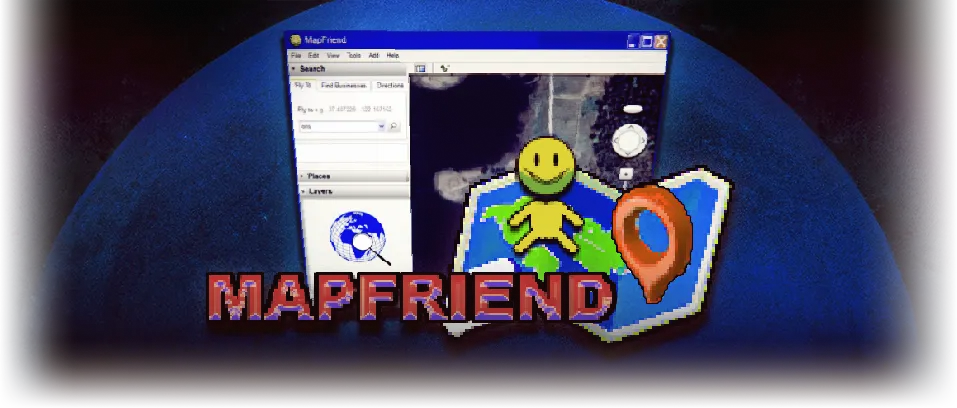
MapFriend is a short horror game by Adam Pype, played inside a fake late-1990s map program in the style of Google Earth, street view and all. You fly to places, look for points of interest and collect orbs to unlock more, until the software starts to show its unsavoury bugs. It is a pay-what-you-want download for Windows and takes about 15 minutes.
About MapFriend
MapFriend is a small horror game by Adam Pype, the maker of No Players Online and SPOOKWARE. Its own page sums it up in four words, a Google Maps horror game, and dresses itself as an advert for free mapping software from around the turn of the century: a cheerful yellow mascot, a spinning globe, and the promise that exploring is fun.
The whole game happens in that program. You look down on satellite photos, zoom in, and drop into a grainy street view to stand in the places you find. Points of interest tell you a little about each location and give you orbs, and the orbs unlock new places to visit. A counter in the corner keeps track of what you have found.
The horror is quiet. It comes from the feeling of wandering a map of real-looking places alone, late at night, on software that is slightly off, and from what turns up when its bugs start to show. Reviewers compared the unease to idly browsing Google Maps and called it non-standard horror, the kind of creepy thing you come across at night rather than a monster chase.
It takes around a quarter of an hour, which makes it a one-sitting game. It suits players who like horror told through old computers and found software, such as No Players Online or KinitoPET, and anyone who has ever felt uneasy in an empty street view.
It's a slow game, honestly. Players in the comments say the horror is mostly in the mood and the text you read, and that there are no cheap jumpscares. The mascot is the thing to watch. Wander off where it didn't send you and its smile turns into a scowl while the screen fills with noise. The most common complaint is that it ends too soon, and a few found the ending abrupt. Others still come back to it every year.
How to play MapFriend
- Download MapFriend from its itch.io page (pay what you want, or nothing) and run MapFriend.exe on Windows.
- Drag the satellite map to move and use the scroll wheel or the zoom buttons to get closer.
- Drop into the street view at a place to look around it.
- Click the points of interest to read about them and collect orbs.
- Use the orbs to unlock new locations and keep exploring.
Screenshots
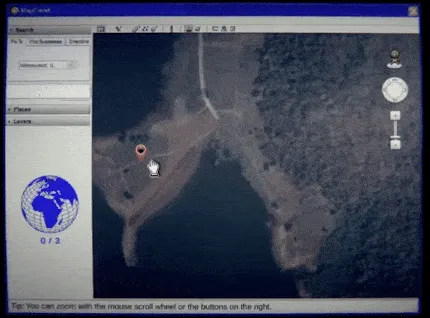
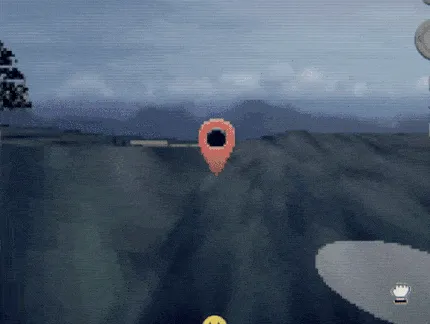
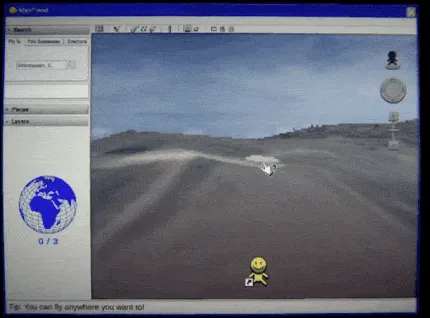
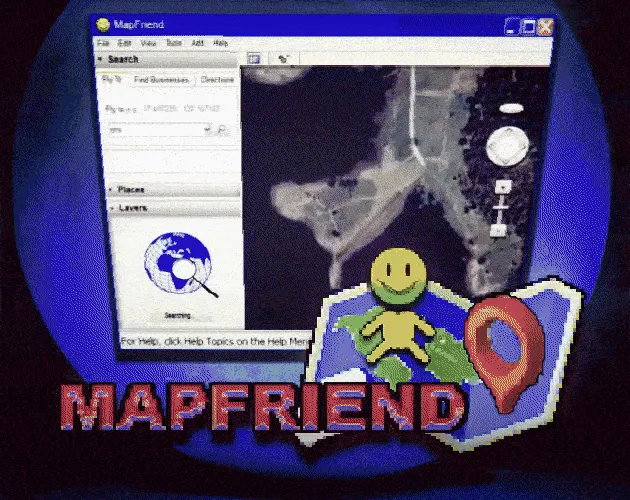
Tips
- Play at night with the lights low and the sound on, as it is meant to be found late.
- Read what each point of interest says before moving on. The text carries most of the story.
- If you are stuck on the third orb of the first area, look out over the water rather than on land.
- Notice how the mascot reacts when you wander away from where it sends you.
Questions
Is MapFriend free?
Yes. It is pay what you want on itch.io, so you can download it for nothing.
How long is MapFriend?
About 15 minutes, by Free Game Planet's count.
Can I play MapFriend in the browser?
No. It is a Windows download, a single MapFriend.exe of about 42 MB.
Is MapFriend coming to Steam?
No. Asked in the itch.io comments in April 2026, Adam Pype answered no. It is only on itch.io.
I only found two orbs in the first area. Where is the third?
The maker's own hint in the comments was to check the ocean.
Why does Windows warn me about the download?
Some players got a Windows Defender warning on the bare .exe. Players in the comments put it down to a false positive on an unsigned file.
Ratings and reviews
If MapFriend frightened you

No Players Online
The same maker's short horror game about an old computer, where you dig through a stranger's…
PC

98xx
A lost 1990s operating system whose programs and games start to glitch into something else.
PC

IMSCARED
A short game that turns your own computer against you, faking crashes and leaving files on your…
PC / Android

Alone. Again.
A man stands in the street outside. It's getting closer.
Browser / PC
Anemoiapolis: Chapter 1
Lost in an empty mall and endless pools, with no way out but forward.
PC
More analog horror games
- a man outside
- Aephemera
- Alternate Watch
- Amanda the Adventurer
- ANATOMY
- Andy's Apple Farm
- Antipathy
- ARD: Anomalous Research Department (Demo)
- Assessment Examination
- Buddy Simulator 1984
- Don't Die Alone
- Elevator Hitch